Talent Release Form for Minors
A talent release form for minors is a document that is used when a child or teenager appears in a film project, photo shoot, interview, or promotional project, and a parent or legal guardian needs to give permission on their behalf. It helps filmmakers, producers, and agencies collect a clear signed record before using a minor’s name, image, likeness, voice, and performance.
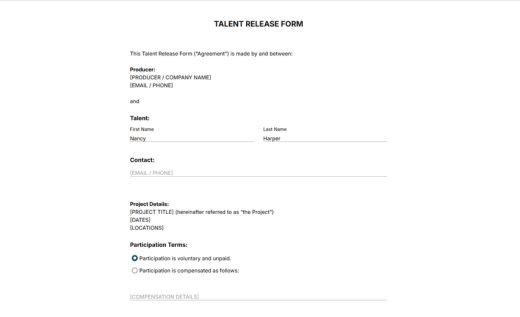
AidaForm’s template on this page is a ready-to-use minor talent release form created for real production workflows. It focuses on the details that are important when the participant is under 18: information about the minor, parent or legal guardian details, project information, participation terms, parent or guardian permission, and signature.
Customize the template in the AidaForm Builder and collect signed forms online before production or directly on set. Signed documents will be safely stored in your account and can also be downloaded as PDF files for recordkeeping. If you need to collect releases offline, you can also download the same template as a blank PDF document for free.
Common questions and answers
Can I change this template before collecting signatures?
Yes, you can edit the online template before sending it for signing. Open it in the AidaForm Builder and adjust the parts that should match your production: producer details, project name, dates, locations, participation terms, and release wording if needed.
You can also add extra fields if you need more information about the minor, the parent or legal guardian, or the shoot. When the online form is ready, publish it and collect signed submissions digitally.
If you need a PDF copy of your edited form, preview the finished online version and save it as a PDF through your browser’s print menu. For step-by-step instructions, see AidaForm’s guide on saving an online form as a PDF.
Are online signatures valid for minor talent release forms?
Yes. Electronic signatures are accepted in many countries and industries. Since requirements may vary depending on your location and use case, you should still review the rules that apply to your production before relying on online signatures.
The AidaForm Signature field lets a parent or legal guardian sign electronically with a mouse, touchscreen, trackpad, or stylus. If you update the online form later, previously submitted forms stay unchanged — this means that you have a clear record of the exact version each parent or guardian signed.
How do I choose between the online form and the PDF?
It is practical to use the online form when you want to send the release in advance or collect signatures on set, where parents can open and sign it on a tablet or phone. This way, you keep submissions organized in one secure place and avoid printing or scanning.
Print the blank PDF forms when you need handwritten signatures or when you need to collect releases fully offline. Printed paper forms are also useful as a backup for parents or guardians who did not sign the online form in advance.
Are online release forms secure with AidaForm?
Yes. AidaForm forms are submitted over an encrypted HTTPS connection, and completed responses are stored in a password-protected user account. AidaForm services follow modern technical security standards for form data collection and storage. More details are available in the Privacy Policy.