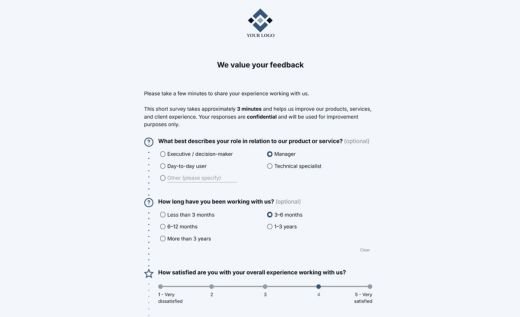
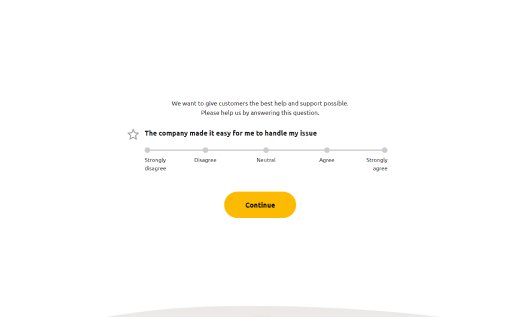
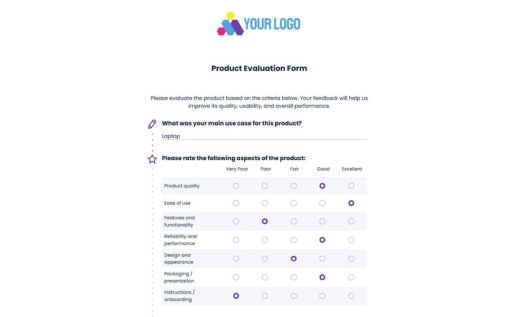
Net Promoter Score Survey Template
This mobile-friendly, easy-to-customize NPS survey helps you quickly and reliably measure customer loyalty — and learn what’s behind the score.
Created by AidaForm experts, this template follows proven best practices for running a Net Promoter Score survey for both products and companies. It includes two parts:
- The industry-standard NPS rating question with a 0–10 scale, so you can calculate your score and compare it against industry benchmarks.
- A follow-up section that collects valuable open-ended feedback and helps you plan how to improve your NPS. Follow-up questions are organized as separate pages for Detractors, Passives, and Promoters, and respondents only see the questions that match their score.
👉 Further on this page, you’ll also learn how to launch your survey, how to calculate your NPS score, and find FAQs about the NPS survey.
AidaForm features that support this NPS survey template
This NPS survey includes smart features that keep it quick to complete, easy to analyze, and pleasant for respondents. Below you’ll find what’s already included — plus a few extras to help you get even better results.
- Show/hide fields – Display additional fields only when relevant, based on previous answers. In this template, the email field appears only if a respondent agrees to be contacted.
- Skip page logic – Automatically route respondents based on their score (Detractors, Passives, Promoters) so they only see relevant follow-up questions.
- Personalized Thank You page – End the survey on a clear, professional note. Show a standard message to everyone and add an extra note only for respondents who opt in to be contacted.
- Custom domain support – Publish your NPS survey under your own brand domain to improve trust and response rates.
- Visual, real-time analytics – View the full 0–10 score distribution in a clear chart, filter responses by segment, and export data to Excel, Google Sheets, or CSV.
- Free NPS calculator – Use our Net Promoter Score Calculator to enter your survey data and calculate your score instantly.
How to set up and launch a Net Promoter Score survey with AidaForm
Creating a custom Net Promoter Score form in the AidaForm Survey Maker takes just a few minutes. Start with the ready-made template, customize it for your product or company, and share it using a link or embed code. Follow these steps:
Create an AidaForm account and add the NPS Survey Template
Click Use This Template. If you see the sign-up page, it means you don’t have an AidaForm account yet. Complete the quick registration, confirm your account, and log in — the template will appear in your list of forms.
Customize your questions and branding
This template is designed to be universal and already includes a well-thought-out structure, so you don’t need to make any major changes. However, we recommend updating it to match your tone and goals.
Replace placeholders (for example, [Company/Product Name]) and, if needed, adjust the questions while keeping the main NPS scale intact. To add extra questions, open the Form Elements panel on the left. You’ll find open-ended fields like Short Text and Long Text, as well as Media Answer to collect feedback in video or audio format. You can also add survey fields such as Ratings, Scales, Matrices, and more.
Customize the design to match your brand. With AidaForm’s Form Designer, you can style the survey so it looks like it was created from scratch specifically for your company. Set your brand colors in Color Theme, choose the right Font Family and Form Scale, and upload your logo using the Media File element.
To explore the survey structure, the recommended number of questions, and alternative wording options, see the Questions and Answers section below.
Test your survey before you go live
This NPS survey uses Skip Page logic to show different follow-up questions based on the score (Detractors, Passives, and Promoters). Before launching, test the form in Preview mode. It will open in a new tab — go through it a few times and try different scores to make sure the right follow-up page appears. Take a moment to recheck your copy for typos or unclear wording before sending the survey to a larger audience.
Publish your survey and choose how you want to share it
Go to the Publish section and change the Form Status with one click — your survey is now live and ready to share. AidaForm gives you two ways to share it:
- Direct link — send the survey by email, add the link to your product interface, or share it on social media.
Optional: set up a custom domain for branded survey links. See our guide: How to set up a custom domain.
- Embed code — place the survey directly on your website using the ready-to-copy embed code.
From there, you’ll start collecting responses. All submitted data is stored in the Results section.
How to calculate the Net Promoter Score
The NPS formula
Net Promoter Score (NPS) is a customer loyalty metric that shows how likely people are to recommend your company or product. It’s based on the standard “likelihood to recommend” 0–10 rating question — for example:
How likely are you to recommend [Company Name] to a friend or colleague?
Based on their rating, respondents fall into three groups:
- Promoters (9–10) — happy customers who are likely to recommend you
- Passives (7–8) — satisfied customers, but not likely to actively recommend you
- Detractors (0–6) — disappointed customers who may discourage others
To calculate your Net Promoter Score, subtract the percentage of Detractors from the percentage of Promoters:
The result is a score from −100 to +100.
How to get NPS data from AidaForm
To calculate NPS, you simply need the number of responses in each score range. In AidaForm, this information is available in Results → Response Summary.
Open your NPS survey results and find the main 0–10 rating question. The chart shows your score distribution, making it easy to identify how many respondents gave low (0–6), neutral (7–8), or high (9–10) ratings:
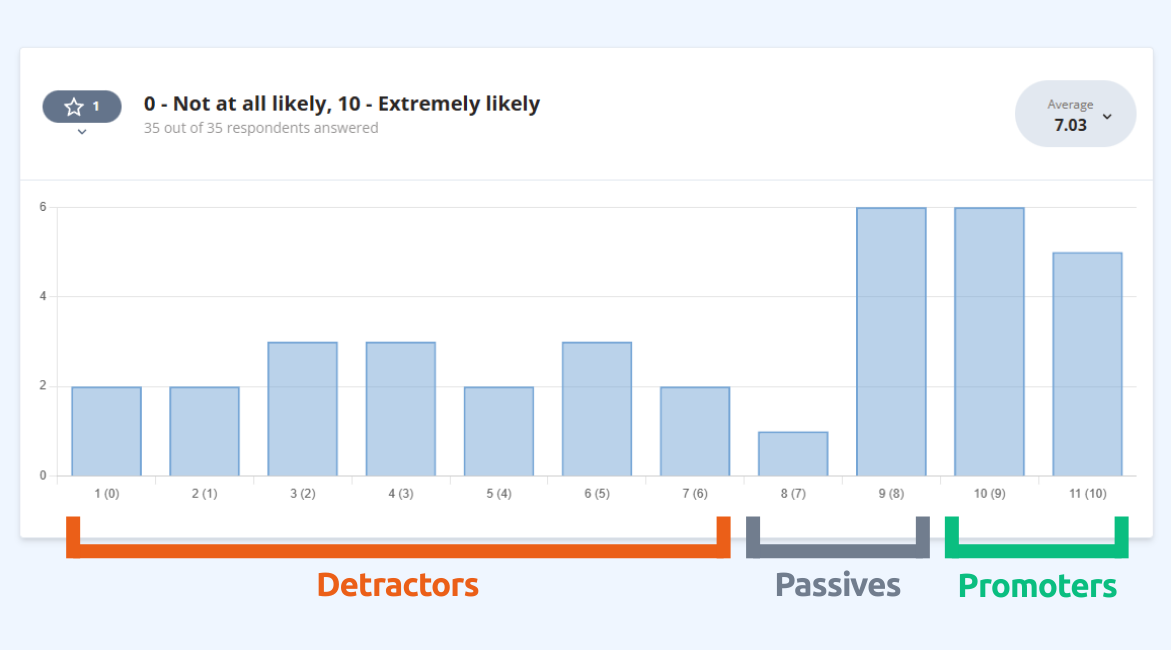
Example: Score distribution for the NPS rating question in AidaForm.
From there, you can count responses in each group and calculate NPS manually using the formula above.
Quick note: NPS is calculated from the share of Promoters and Detractors — it’s different from an average rating.
👉 If you would like to calculate the score instantly, use our free NPS Calculator.
Net Promoter Score survey questions and answers
Here are quick, practical answers to the most common questions — so you can launch your survey with confidence.
How many questions should an NPS survey have?
Most NPS surveys typically include two core questions:
- The NPS rating question on a 0–10 scale
- A follow-up question that helps explain the score
If you want to add extra questions, it’s recommended to keep the full survey to 3–5 questions total. Short surveys are easier to complete, which usually means a higher response rate and more reliable feedback.
What is the Net Promoter Score question and what variations can I use?
The standard Net Promoter Score question is:
How likely are you to recommend [Company/Product Name] to a friend or colleague?
(0 = Not likely, 10 = Extremely likely)
You can keep the same 0–10 scale and adjust the question depending on the context of your NPS survey, for example:
- After a product update: Following the latest feature release, how likely are you to recommend…?
- After a support interaction: Based on your recent support experience, how likely are you to recommend…?
- After a purchase/onboarding: Based on your recent purchase experience, how likely are you to recommend…?
If you track NPS over time (relational NPS), keep the question standard. Only change the wording when you intentionally measure a specific touchpoint (transactional NPS).
What is relational NPS?
Relational NPS (also called relationship NPS) measures overall loyalty and long-term satisfaction with your company or product. It isn’t tied to a single interaction — instead, it helps you track loyalty over time and spot trends in customer sentiment.
How often should you send a relational NPS survey?
Most companies send a relational NPS survey every 3–6 months, depending on how quickly customer sentiment can change. Quarterly surveys work well for fast-moving products, while sending NPS twice a year is common for longer customer cycles.
What is transactional NPS?
Transactional NPS is sent after a specific interaction, such as a support ticket, a purchase, onboarding, or product delivery. It helps you understand how that one experience affected customer satisfaction.
What is a good NPS score?
NPS scores range from −100 to +100. As a general rule:
- 0 or higher is a good start
- +30 is considered strong in many industries
- +50 or higher is excellent
What counts as “good” can vary by industry and audience, so the most useful benchmark is often your own progress over time. Focus on trends — and on the themes in your follow-up answers — to understand what’s driving the score and what to improve next.
If you’re just starting out, don’t worry about hitting a specific number right away. Start by establishing a baseline, then improve one recurring issue at a time and track how your score changes.
👉 For a deeper dive into NPS benchmarks and best practices, read our detailed Net Promoter Score blog article.
Explore related survey examples
Want to measure customer experience from a few different angles? These templates pair well with NPS: