Customer Service Survey Template
A customer service survey is used to evaluate how customers feel about their interaction with your service team and focuses on satisfaction with the service quality, speed, and clarity of communication. It’s typically sent right after an interaction — via email, chat, phone, or in-person service — and is most useful for customer service, operations, and quality teams.
This AidaForm survey template includes a short satisfaction rating question, a resolution check (“Did you get the help you needed during this interaction?”), and a compact evaluation matrix covering key service aspects. Conditional logic shows an additional open-ended question only when feedback indicates room for improvement, keeping the survey fast while still actionable.
Use This Template to get started in AidaForm: add it in one click, customize questions and scales, then publish and share your survey — no coding required.
Below on this page:
Other customer surveys: differences & which to use How to launch your survey in AidaForm Practical tips & FAQs about customer service surveys
Customer service, support, experience: how they relate
Customer surveys come with a lot of similar-sounding terms, and it’s not always obvious which one you actually need. This short guide helps you navigate the most common customer survey types, understand how they differ, and choose the approach — and survey template — that best fits your goal.
👉 Customer service surveys focus on how customers are treated during direct interactions with your team. They look at responsiveness, clarity, and whether customers felt helped during a specific conversation or visit. Use the customer service survey template on this page to evaluate interactions right after they happen and improve everyday service quality.
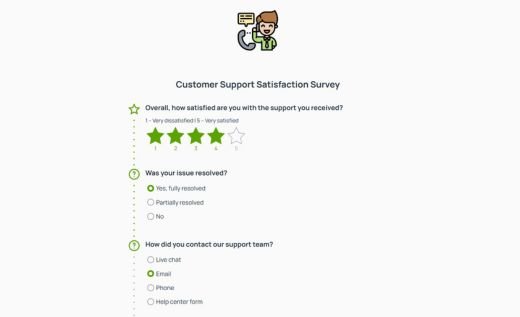
👉 Customer support is a specific part of customer service that usually involves resolving concrete problems — often technical ones — through tickets, help desks, or support channels. Use a customer support survey when your goal is to evaluate issue handling and problem resolution. Check out AidaForm’s customer support satisfaction survey template.
👉 Customer experience covers the entire customer journey and how people feel at every stage — from the first website visit to purchase, onboarding, interactions with your team, and long-term relationship. It’s the broadest term and includes customer service and customer support as part of the overall journey. If you need a qualitative, diagnostic survey focused on open-ended feedback around a specific step in the customer journey, explore our customer experience feedback form.
Customer satisfaction and service surveys: what’s the difference?
Both of these surveys help you understand how customers feel — but they answer different questions and support different goals. While a customer service survey focuses on one interaction with your team, a customer satisfaction survey looks at overall satisfaction. It’s typically used to measure how satisfied customers are with a company, product, or service in general. Satisfaction surveys are useful for tracking trends over time and understanding general sentiment.
☑ If your goal is to improve how service interactions are handled, the survey template on this page is the right choice.
👉 For broader satisfaction tracking, explore AidaForm’s customer satisfaction survey template.
More customer survey templates
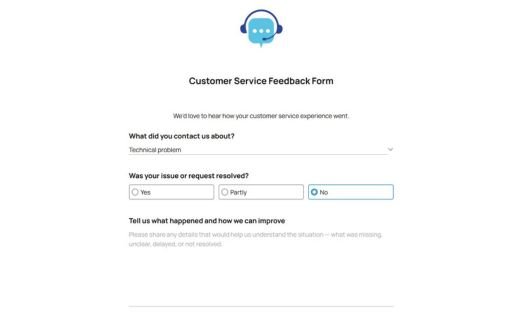
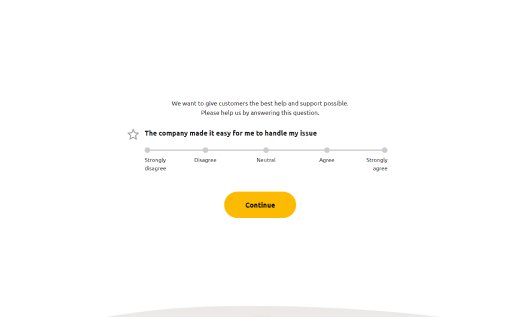
Depending on your goal, you may need a different type of customer survey. Below are a few related templates often used alongside customer service surveys.
How to create and launch a customer service survey in AidaForm
Creating a customer service survey form in AidaForm takes just a few minutes. Start with the ready-made survey sample, customize the questions and design, then publish and share it as a link or embed code.
Add the template to your account.
Click Use This Template. If you don’t have an AidaForm account yet, complete the quick sign-up and log in — the survey template will appear in your Forms list.
Customize the questions.
This customer service survey example already includes a satisfaction rating, a “help needed” check, and a short evaluation matrix. You can edit the wording, reorder questions, or add extra fields from the Form Elements panel, for example:
- Short Text, Long Text, Media Answer (for open-ended feedback)
- Rating, Scale (for quick satisfaction scoring)
- Matrix (to evaluate several aspects at once)
- Dropdown, Multiple Choice (for selecting a reason or category)
- Date, Email, Phone (optional additional details)
Match the design to your brand.
Open the Form Designer to style the survey: set your color theme, choose fonts, adjust spacing and buttons, and add your logo — so the form looks consistent with your website or product.
Publish and share.
Go to Publish, switch the form status to live, and share it using a direct link (email, chat, in-app) or embed code (website). All responses will appear in Results for review and analysis.
FAQs about customer service surveys
What are good customer service survey questions?
Good customer service survey questions focus on a single contact with your service team (a call, chat, email conversation, or in-person visit). A simple structure that works well:
- Satisfaction rating: “How satisfied are you with the customer service you received?”
- Help needed / resolution: “Did you get the help you needed during this contact?”
- Key service aspects evaluation (pick 2 – 4):
- “How would you rate the speed of response?”
- “How clear was our communication?”
- “How would you rate the tone and professionalism of our team member?”
- Optional open-ended comments: “What could we improve?”
How long should a customer service survey be?
Keep a customer service survey short: 5–7 questions is a good target. Short surveys respect customers’ time and usually get higher completion rates — especially right after a service contact.
Which channels work best for customer service surveys?
The best channel for customer service surveys is usually the same one where the service happened (or the closest follow-up): post-chat, post-call SMS, follow-up after a service email thread, or a link/QR code after an in-person visit. The easier it is to answer in the moment, the better the response rate.
When should I send a customer service survey?
Send a customer service survey while the contact is still fresh — ideally right away, or within a few hours. If that’s not possible, sending it within 24 hours still works well for most teams.
How often should I send customer service surveys?
Send customer service surveys after meaningful service contacts, such as: a problem was solved (or not), a request required effort, or the conversation was escalated. Avoid sending a survey after routine micro-contacts (like an auto-reply or a simple status update). Many teams also limit surveys to no more than one per customer within a set time period (for example, a week or a month) to prevent survey fatigue.
How can I get more responses to customer service surveys?
Here are a few proven ways to increase survey responses:
- Keep it short (1 minute or less)
- Make it mobile-friendly and easy to tap through
- Use a clear subject/intro (“It takes less than a minute”)
- Ask one thing at a time (avoid long multi-part questions)
- Make open-ended feedback optional
- Send the survey immediately after the service contact
- If appropriate, offer a small incentive (e.g., a raffle or discount)
Should customer service surveys be anonymous?
Yes, if you want the most honest feedback. Anonymous surveys often reduce hesitation, especially after a negative experience. If follow-up is important, make contact details optional rather than required.
How can I use customer service survey results to improve service?
Here are a few practical steps:
- Track the main satisfaction score and resolution check over time
- Review low scores weekly and tag critical themes (speed, clarity, attitude, etc.)
- Turn repeated themes into actions: change service scripts, organize team training, consider process fixes
- Close the loop: share trends with the team and highlight the changes based on feedback