Conference Feedback Survey Form
A conference feedback form is a survey used to collect attendee insights on event content, speakers, organization, and overall experience — helping organizers evaluate success and improve future conferences.
AidaForm’s template helps event organizers gather meaningful, actionable feedback without overwhelming participants. Built on proven feedback best practices, it balances insight depth with strong completion rates, making it suitable for professional, academic, corporate, and industry conferences of any format.
This expert-designed template helps you collect high-quality post-conference feedback:
Optimal survey length respects attendees’ time while remaining thorough, supporting high completion rates.
Conference-focused questions cover essentials like content quality, speaker expertise, networking, and organization, while staying flexible for virtually any conference type.
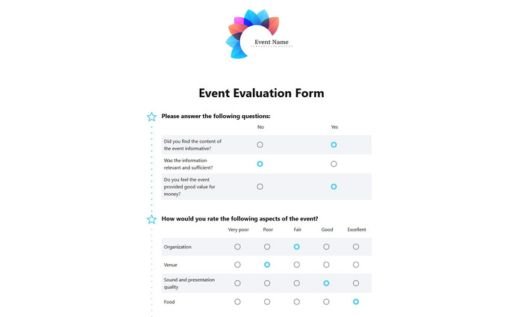
Ratings, scales, and compact matrices create a clear, easy-to-scan layout that works smoothly on both desktop and mobile devices.
Optional open-ended questions let participants share additional ideas and expectations in their own words, without slowing down those who prefer quick surveys.
Smart form logic shows only relevant follow-up questions — for example, revealing “What could we improve?” only if someone says they wouldn’t attend again.
Click Use This Template to add the conference feedback survey to your AidaForm account. Start collecting responses right away or customize the questions, logic, and design to match your event goals using the quick setup steps below.
How to use the conference feedback form template
1. Add the template
Click Use This Template to add it to your AidaForm account. If you’re taken to the sign-up page, it simply means you don’t have an account yet — complete the quick registration, confirm your email, and log in. The template will then appear automatically in your My Forms list.
2. Customize it
Open the template and adjust the text to match your event — for example, replace placeholders and fine-tune the wording to fit your tone. To add or remove questions, use Form Elements (Ratings, Scales, Matrices, Short or Long Text, Video Answer, and more). You can also customize the design in Form Designer by setting colors and fonts and adding your logo.
3. Publish & collect feedback
Go to Publish and switch the form status to ON — your survey is ready to share. Send it as a direct link (in emails, on social media, or in post-conference follow-ups) or embed it on your website. All responses will be stored in Results, where you can review and analyze them anytime.
More event forms for you
Explore more ready-made templates for events and attendee feedback — and customize any of them to match your format, audience, and goals.