Caregiver Application Form
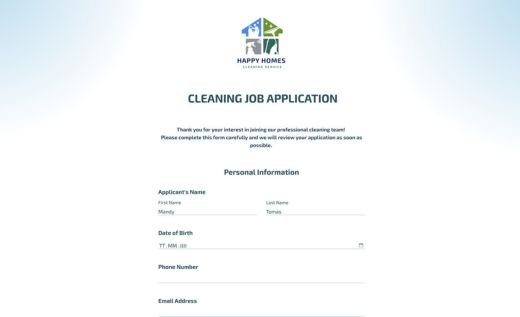
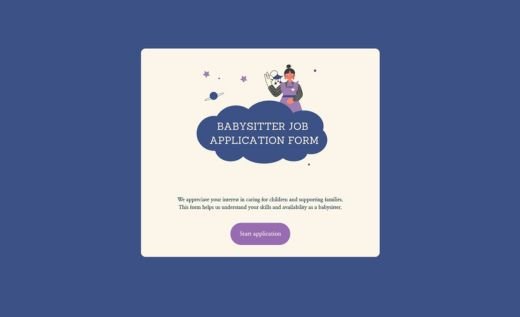
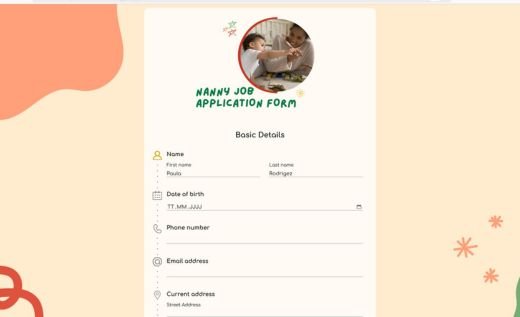
A caregiver application form is an online document used to collect candidate information for caregiving roles in a clear and professional way. This free template is a practical choice for caregiver agencies, healthcare providers and families who want an organized process for reviewing applicants and making confident hiring decisions.
The form covers the essentials — personal details, education and certifications, work experience, caregiving skills, schedule preferences and references. It also includes secure file uploads for resumes and certificates, so you can gather key documents in one place and keep your screening workflow moving smoothly.
You can easily tailor the questions and design to your hiring process, then share the form as a link or embed it on your website. With AidaForm’s no-code builder, you can publish a mobile-friendly, secure application form and start receiving caregiver applications online in minutes!
Enhance your caregiver application form with professional features
File Upload for documents
Collect resumes, certifications and training documents directly through the form, keeping all candidate information organized in one place.
Hide/Show Fields
Keep the form focused and easy to complete by showing follow-up questions only when they’re relevant. For example, display detailed experience fields only if a caregiver confirms they’ve worked in the role before, or show special-needs questions only when applicable.
Custom Thank You page
Create a clear and reassuring final step for applicants. You can explain what happens next, outline your review timeline, share contact details, or add links to your agency website or onboarding information.
Email notifications for respondents
Automatically send a confirmation email after submission so caregivers know their application was received. This helps build trust and reduces follow-up questions, especially when managing multiple applicants.
Enhance your caregiver application form with professional features
File Upload for documents
Collect resumes, certifications and training documents directly through the form, keeping all candidate information organized in one place.
Hide/Show Fields
Keep the form focused and easy to complete by showing follow-up questions only when they’re relevant. For example, display detailed experience fields only if a caregiver confirms they’ve worked in the role before, or show special-needs questions only when applicable.
Custom Thank You page
Create a clear and reassuring final step for applicants. You can explain what happens next, outline your review timeline, share contact details, or add links to your agency website or onboarding information.
Email notifications for respondents
Automatically send a confirmation email after submission so caregivers know their application was received. This helps build trust and reduces follow-up questions, especially when managing multiple applicants.
Enhance your caregiver application form with professional features
File Upload for documents
Collect resumes, certifications and training documents directly through the form, keeping all candidate information organized in one place.
Hide/Show Fields
Keep the form focused and easy to complete by showing follow-up questions only when they’re relevant. For example, display detailed experience fields only if a caregiver confirms they’ve worked in the role before, or show special-needs questions only when applicable.
Custom Thank You page
Create a clear and reassuring final step for applicants. You can explain what happens next, outline your review timeline, share contact details, or add links to your agency website or onboarding information.
Email notifications for respondents
Automatically send a confirmation email after submission so caregivers know their application was received. This helps build trust and reduces follow-up questions, especially when managing multiple applicants.
Enhance your caregiver application form with professional features
File Upload for documents
Collect resumes, certifications and training documents directly through the form, keeping all candidate information organized in one place.
Hide/Show Fields
Keep the form focused and easy to complete by showing follow-up questions only when they’re relevant. For example, display detailed experience fields only if a caregiver confirms they’ve worked in the role before, or show special-needs questions only when applicable.
Custom Thank You page
Create a clear and reassuring final step for applicants. You can explain what happens next, outline your review timeline, share contact details, or add links to your agency website or onboarding information.
Email notifications for respondents
Automatically send a confirmation email after submission so caregivers know their application was received. This helps build trust and reduces follow-up questions, especially when managing multiple applicants.